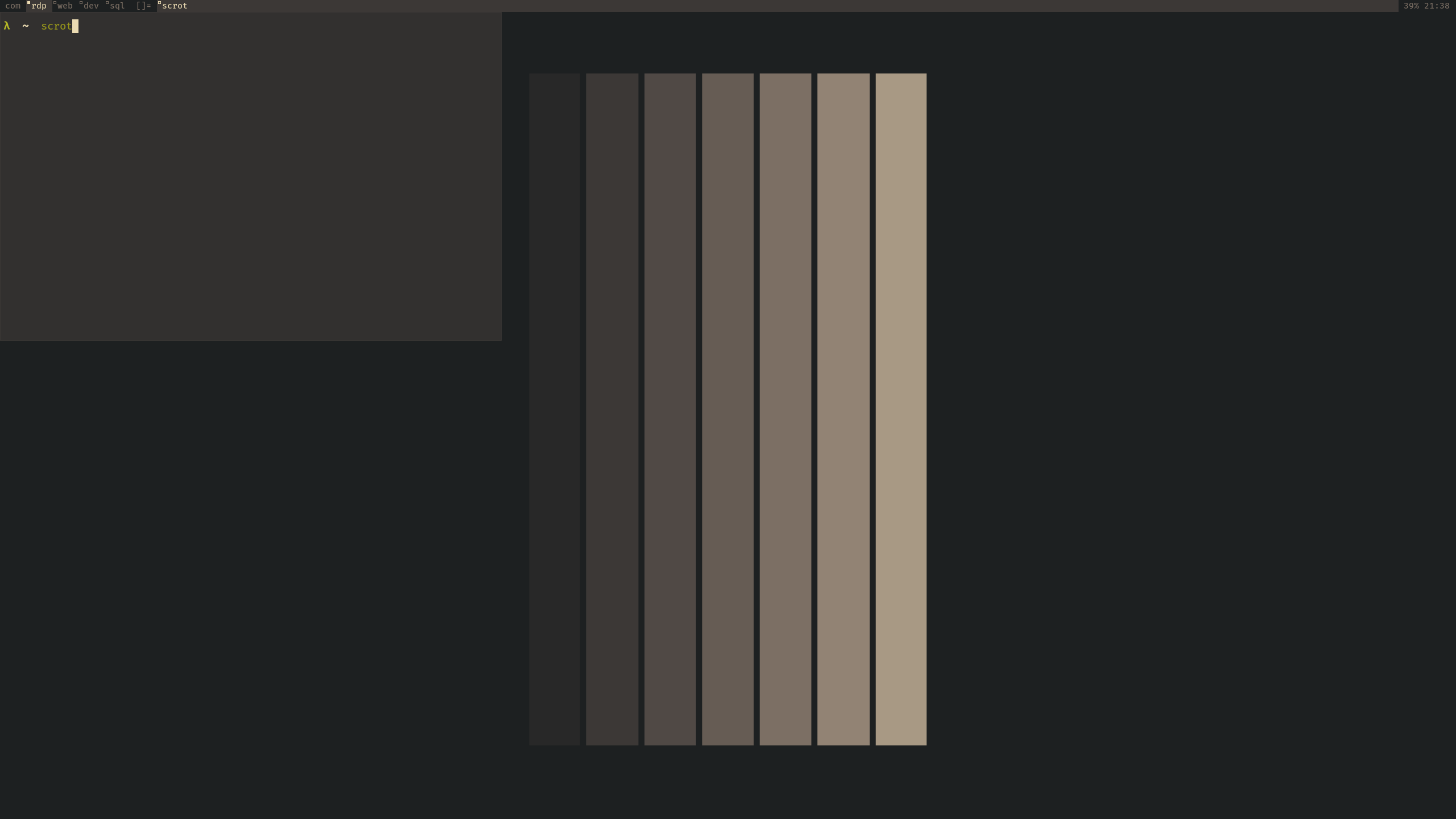
dwm is a dynamic window manager for X by Suckless. It manages windows in tiled, monocle and floating layouts. All of the layouts can be applied dynamically, optimising the environment for the application in use and the task performed.
For me, it was an obvious step up from i3 and I think there are a lot of people like myself that did the same. dwm isn't only a fast window manager, but something that you build yourself from source. A piece of software that you fully configured to your liking and where you can change anything you see. That is what I was looking for in a window manager and found it in dwm.
I currently keep my config very simple. Just because it's easy to rebuild and I prefer function over aesthetics. The only patch I have installed is gaps, but I'm currently not even using them. In the screenshot you can see that I have a floating terminal, this is st, I have put it in the floating mode to show the wallpaper, but otherwise I never do this.
The menu bar shows the only 5 tags I have being:
5 tags are plenty for me, they are almost always occupied by software that fits the function. And when I run out of space I have a second monitor do dump other things. I had seen similar 3 letter tag names in someone else's config and it looked very useful over numbered tabs. This way you don't need to think about the correct tag and don't switch things every day.
On the right of the bar I have a battery percentage and the 24h time. This is just to keep track how late it is and when to charge my laptop.
My Mod1 key is Alt. I'm using the Microsoft Ergonomic Keyboard (2020), where the Alt key is underneath the j-key ( c in Qwerty ). This is only a bit more to the left of where I rest my finger which is very useful and more ergonomic than using the windows button.
One of the key bindings I find the most useful and don't see anyone doing is remapping the tags to the home row. This was something the sped up my workflow a lot. Personally for pressing `Alt+1` I had to stretch my hand a lot, and it didn't even make sense to do this since the tags were not numbered anymore. After a few days of use, these keybindings will become part muscle memory and you perfectly switch to vim with your index finger without thinking. I typ in dvorak, so the home row is AOEUI. So `Alt+a` goes to `com`, `Alt+o` goes to `rdp`, etc..
Other than the above, and a few remaps to programs ( slock, st, clipmenu & dmenu ), my keybindings are stock dwm.
At my day job, Microsoft Teams is the main way of communicating. And when you get a message,
a notification pops up on half of the screen, goes in focus and interrupts you from typing.
This is an easy fix for dwm. In the rules section, you can add this line:
{ "Teams", NULL, NULL, 0, 1, 1 },
This makes it so that new windows of teams are floating and automatically
go to my second screen where they are not in focus.
You can find my config file here: https://github.com/J0rdyV/dwm.